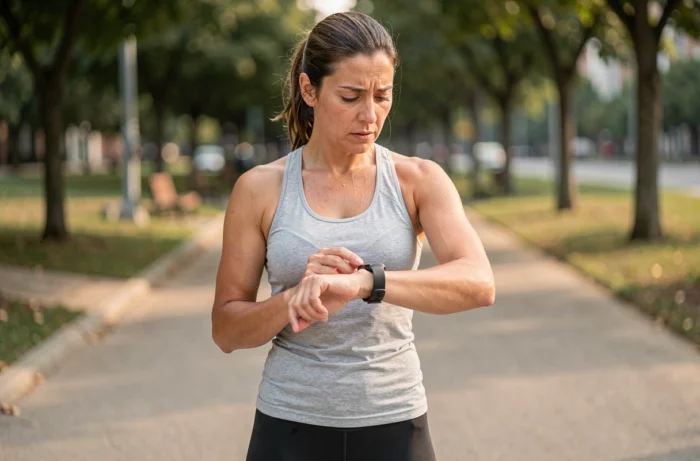
A pedometer that shows zero steps while you have just walked for thirty minutes is not necessarily defective. In most cases, the problem lies between the phone’s software layer and the permissions granted to the app. Precisely identifying the source of the failure avoids unnecessarily resetting a device or replacing a functioning sensor.
Health Connect and Android 14: the source of failure that apps do not report
Since Android 14, Google has imposed Health Connect as the central health data layer. The phone records steps in Health Connect, but the pedometer app may display zero if it does not have permission to read this data or if it is not set as the primary source.
Specifically, the accelerometer sensor detects the steps, the system logs them in Health Connect, and then the third-party app queries this database. If the permission chain is broken at any link, the display remains empty. We observe that most users who report a malfunctioning pedometer after a system update fall into this category.
The check is quick: open the Health Connect settings, go to the “App Permissions” section, and confirm that the pedometer app has read access to step data. If multiple apps are connected, the primary source must correspond to the one you are consulting. A priority conflict between Google Fit, Samsung Health, and a third-party app is enough to block the display.
If you find that my pedometer is not working on Sport and Form, this Health Connect permission issue is worth exploring first.
Background restrictions and manufacturer overlays: firmware limits step counting
Android manufacturers apply aggressive battery management policies that kill background processes. A pedometer app needs to run continuously to capture movements. If the system closes it after a few minutes of screen inactivity, the step counter freezes without any error message.
The problem does not come from the app itself. Pedometer developers acknowledge this: on some recent models, the limitation comes from the firmware or the manufacturer overlay, and no app update can fix it unless the user intervenes manually.
Settings to change depending on the phone brand
- On Samsung devices, disable “Put unused apps to sleep” in the battery settings and add the pedometer app to the list of unmonitored apps.
- On Xiaomi and Redmi, enable “Auto Start” for the app in the security settings, then disable battery restrictions in the advanced options.
- On Huawei devices, access battery management, set the app to “No restrictions,” and check that background launching is allowed.
These settings vary from one overlay version to another. We recommend checking these settings after each system update, as some updates reset battery exceptions without warning.
Fitbit sync failure and trackers: steps exist but remain invisible
A common case of “malfunctioning pedometer” does not correspond to any sensor failure. Analyses of Fitbit bugs between 2024 and 2026 show that many failures are synchronization or app display bugs, not counting errors. The tracker correctly records the steps, but the app displays nothing, or shows a distance stuck at zero while the step counter progresses.
In July 2026, a failure of the Google Health platform interrupted synchronization for all Fitbit and Pixel Watch users. Devices continued to count locally, but the data no longer synced to the mobile app or the web API.
Differentiating a sensor failure from a synchronization issue
The most reliable method is to check directly on the physical device (watch or band) if the steps increment in real-time while walking. If the tracker shows a counter that progresses but the app remains at zero, the sensor is functioning. The problem lies with synchronization.
In this case, force a manual synchronization via Bluetooth, then check that the app has the latest available version. Some Fitbit firmware updates have caused a decrease in step counting on models like the Inspire 3, immediately after installation. If the drop in step count coincides with a recent firmware update, the problem is known and documented by the community.
Accelerometer calibration and sensor false positives
The MEMS accelerometer integrated into smartphones and trackers measures variations in acceleration across three axes. The step detection algorithm applies a sensitivity threshold to filter out noise movements (transport vibrations, hand gestures). When this threshold is poorly calibrated, two symptoms appear: either the pedometer does not count slow steps, or it adds ghost steps.
On smartphones, the placement of the device drastically changes accuracy. A phone in a pants pocket produces a very different accelerometric signal than one placed in a handbag or held in hand. The pedometer does not detect walking if the swinging motion is absent.
For wrist-worn trackers, a loose band weakens the signal. The sensor needs stable contact with the skin to distinguish a step from random arm movement. Tightening the band a notch and walking a hundred steps helps confirm or rule out a wearing issue.
When the accelerometer sensor is physically defective (shock, water infiltration), no restart or reinstallation will restore counting. A quick test: open a bubble level app on the smartphone. If the screen does not respond to tilting, the accelerometer is out of service, and hardware repair is necessary.
The majority of malfunctioning pedometers are not actually defective. A silent sensor, a missing permission in Health Connect, or overly restrictive battery firmware is enough to interrupt counting. Checking the entire chain, from the physical sensor to the app display, allows you to target the faulty link without unnecessary replacement.